
Table of contents
VeyMap
Paint your own pictures directly in-game — pixel by pixel on a 128×128 canvas, saved as a map that you can hang and give away.
Getting Started
Craft an Easel (sticks + planks) or a Canvas (leather frame around paper) — both recipes are in /recipes. Place it, right‑click, and the painting session begins.
The Tools
During the session you get a toolbar:
| Tool | Function |
|---|---|
| Brush | Paint — clicking again cycles 1×1 → 2×2 → 3×3 |
| Bucket | Fill areas |
| Eraser | Erase |
| Eyedropper | Pick up color |
| Color Picker | The full palette |
| Undo / Redo | Forgive mistakes |
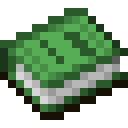
| Book | Save — name is entered via chat |
/veymap exit ends the session; the first call warns you if there are unsaved changes.
Gallery & Gifting
/veymap list— your gallery/veymap give <Name>— puts a work into your inventory as a map, with your artist name in the description. Maximum 3 maps per day./veymap delete <Name>— removes a work
The maps are fixed — they never turn back into regular maps. Placed in item frames on a wall, multiple maps can form large galleries.
Your own art is tradable like anything else — signed with /sign turns a map into a genuine collector’s item with proof of authenticity.
Was this article helpful?
Your feedback helps us improve the Veylor documentation.
Suggest a change?
Report bugs in the bug report